Categories
Tags
Archives
Building a Modern Freight & Logistics Site with Cargozen Theme
-
Cargozen WordPress Theme: How I Turned Our Logistics Site from “Confusing” to “Confident”
When I first inherited our logistics company’s website, it looked exactly like what it was: a collection of pages glued together over the years by different people, with different ideas, and no real plan. We had multiple “Request a quote” forms, services were described in vague, generic language, and on mobile it was nearly impossible for a shipper to understand what we actually did. That’s the moment I decided to rebuild the site around
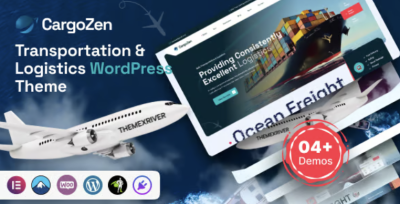
Cargozen - Transportation & Logistics WordPress Theme and treat the website as seriously as any piece of our supply chain.I’m writing this from the perspective of a website administrator working inside a logistics/transportation business, not as an agency. My job is to make sure freight forwarders, warehouse managers, and sales teams get a site that supports their work: clear routes, understandable services, easy quote paths, and a professional look that matches the reliability we promise in real life. In this article, I’ll walk through how I installed and configured Cargozen, how its feature set fits real-world logistics workflows, how it behaves with performance and SEO, how it compares to other theme approaches, and where I think it fits best.
1. The Problem: A Logistics Site That Didn’t Match Our Operations
Before Cargozen, our website had three major issues.
1.1 Service Pages That Didn’t Explain Anything
We’re in a complex industry:
-
Ocean freight
-
Air freight
-
Road transport
-
Warehousing & distribution
-
Customs brokerage
-
Project cargo
But our old theme treated all of this like generic “services.” Everything was buried in text-heavy pages where a shipper had to scroll through long paragraphs to find out if we did LCL, FCL, or anything specific to their needs. There were no visual distinctions between productized services, specialized solutions, and value-added features.
1.2 No Real Conversion Path
Visitors had to answer these questions themselves:
-
“Where do I click if I want a quote for a specific route?”
-
“Is there a dedicated form for sea freight vs air freight?”
-
“Where do I find contact details for a local office?”
We had a generic contact page and a lonely “Request a quote” button hidden in the header. That’s not enough for people trying to move containers worth hundreds of thousands of dollars.
1.3 Impossible to Maintain
Updates were painful:
-
Any change to the homepage meant editing a messy page with shortcodes and inconsistent layout elements.
-
Non-technical staff avoided touching the site.
-
Adding a new service or regional office meant duplicating random blocks and hoping the layout wouldn’t break.
I needed a theme that understood logistics structurally, not just visually. Something designed for transportation companies, freight forwarders, and carriers—where service cards, lanes, rates, and case studies make sense from day one.
That’s where Cargozen came in.
2. First Impressions of Cargozen as a Logistics Admin
When I first looked through Cargozen’s demo layouts, a few things stood out immediately:
-
It was clearly designed for transport and logistics—icons, layouts, and wording reflected real industry use cases.
-
It offered pre-built sections for tracking, quotes, service highlights, and fleet/warehouse info.
-
It balanced professional corporate design with clear, simple structure.
I wasn’t just seeing a “nice homepage.” I was seeing:
-
A dedicated area for multimodal services.
-
Space to highlight key trade lanes and regions.
-
Blocks for shipping process explanations.
-
Room for trust elements like certifications and partner logos.
That convinced me it was worth rebuilding the site on top of it.
3. Installing Cargozen: Laying the Groundwork
Before touching design, I focused on building a stable foundation.
3.1 Cleaning the Old Install
I started with a routine but important cleanup:
-
Removed outdated and unused themes.
-
Deactivated and deleted plugins that had no clear purpose.
-
Backed up the entire site (files + database).
-
Exported content (pages, posts, and any custom types) so I could copy text where needed.
This ensured Cargozen wouldn’t sit on top of years of clutter, and it gave me freedom to experiment without fear.
3.2 Activating Cargozen and Essential Plugins
After uploading and activating Cargozen, the theme recommended:
-
Its core plugin for logistics-specific features and custom post types.
-
Integration with a page builder for visual layout control.
-
Optional elements such as sliders, contact forms, and possibly an icon library.
For our logistics website, I installed:
-
The Cargozen core features (must-have).
-
The page builder integration so I could manage landing pages.
-
A form plugin for quote and contact forms.
I intentionally kept the plugin set lean, because performance matters and logistics sites tend to grow over time.
3.3 Demo Import Strategy
Cargozen includes demo layouts tailored to:
-
Logistics & transportation companies.
-
Freight and cargo services.
-
Companies with specific modes (e.g., trucking, shipping, warehousing).
Instead of importing everything, I:
-
Chose the main logistics demo closest to our business model.
-
Imported the homepage, services pages, and a couple of inner templates.
-
Deleted sample posts and generic filler while keeping layouts and sections.
This gave me a structure that already spoke logistics, but with room to become our own site.
4. Configuring Cargozen: Turning a Theme into Our Brand
With the theme installed, I moved on to branding and structure so the site matched our visual identity and customer journey.
4.1 Global Design: Colors, Fonts, and Layout
In the Cargozen theme options, I configured:
-
Primary color to match our brand blue (used for buttons, links, section accents).
-
Secondary color for highlights such as call-to-action backgrounds and badges.
-
Neutral background colors for sections, so we could alternate between white and very light gray to break up long pages.
-
Typography: a strong, readable sans-serif for headings and a clean body font for longer content like service descriptions.
Cargozen respects these global settings, so once they were in place, all blocks—service cards, feature lists, testimonials—automatically felt on-brand.
4.2 Header, Navigation, and CTAs
The main navigation needed to reflect how logistics buyers think:
-
Services (with submenus for each mode: Ocean, Air, Road, Warehousing, Customs).
-
Industries (e.g., retail, automotive, industrial, e-commerce).
-
Solutions (e.g., door-to-door, express, consolidation).
-
Resources (case studies, blog, FAQs).
-
Contact / Request a Quote.
Using Cargozen’s header builder, I set up:
-
A clean top bar showing our phone number and a short tagline.
-
A sticky header with the main menu and logo.
-
A standout “Request a Quote” button always visible in the header.
Having that dedicated CTA in the header dramatically reduced friction—visitors no longer had to hunt for a quote option.
4.3 Footer Design
In the footer, I configured:
-
Contact information (HQ address, phone, email).
-
Quick links to core pages (services, tracking, support).
-
Social icons for the platforms we actually use.
-
A short paragraph summarizing our mission and regions served.
Cargozen’s footer options allowed me to create a section that felt complete without overwhelming visitors with too many links.
5. Building the Core Pages with Cargozen
The real power of Cargozen comes when you start filling it with actual logistics content: services, lanes, industries, and case studies.
5.1 Service Pages: From Generic Text to Structured Offers
Each service page shifted from a wall of text to a structured layout:
-
Hero area with a simple statement (“Ocean Freight Solutions for Global Trade”).
-
Short summary at the top: what the service is and who it’s for.
-
Key benefits grid: transit time, reliability, coverage, pricing options.
-
Process steps: how booking, documentation, and tracking work.
-
FAQ section: handling common questions (cut-off times, shipment size, cargo types).
Cargozen provides ready-made blocks for features, info grids, and FAQs, so my work was mostly content-focused—writing and reorganizing—rather than wrestling with design.
5.2 Lanes and Regions
Many of our customers think in lanes and regions rather than generic “global coverage.”
Using Cargozen’s layouts, I created sections like:
-
“Europe–Asia routes”
-
“North America–Latin America”
-
“Intra-regional solutions”
Within those blocks, I highlighted:
-
Typical transit times.
-
Main ports, hubs, or cities.
-
Special services (reefer, oversize, dangerous goods).
Cargozen’s grid layouts and icon sets made it easy to present this information without it turning into unstructured text.
5.3 Quote Request Pages
An important part of our rebuild was designing quote forms that:
-
Asked for the right amount of information.
-
Were clear about mandatory vs optional fields.
-
Felt professional, not intimidating.
With Cargozen’s form styling, I created:
-
A main “Request a Quote” page with a comprehensive form.
-
Shorter, more specific forms for particular services (e.g., dedicated air freight quotes).
The theme’s visual consistency meant every form looked like part of a single system, not a patchwork of different plugins.
5.4 Case Studies and Project Cargo
For project cargo and important customer stories, I used Cargozen’s portfolio/case-study layouts:
Each case study includes:
-
Short summary of the challenge.
-
Shipment details (origin, destination, cargo type, constraints).
-
Visuals (photos, diagrams, or maps when available).
-
Outcome and key metrics (time saved, cost optimized, special handling performed).
As we added more case studies, the case-study grid became a powerful credibility section—especially useful for big industrial clients.
6. Evaluating Cargozen’s Features One by One
After a few months of using Cargozen in production, I have a clear sense of which features matter most in day-to-day administration.
6.1 Home Page Blocks That Reflect Real Logistics Needs
Cargozen offers blocks such as:
-
Service overview grids.
-
Feature lists for reliability, coverage, and pricing models.
-
Highlighted metrics (shipments per year, countries served, warehouses).
-
Testimonial or partner sections.
As an admin, I appreciate that these sections are:
-
Easy to reorder using the page builder.
-
Connected to theme styles, so they adapt automatically when global settings change.
-
Built with sensible defaults—spacing, icons, font sizes—so I don’t have to tweak every pixel.
6.2 Service Templates That Scale
Adding a new service (for example, cross-docking or e-fulfillment) doesn’t mean starting from scratch. I:
-
Duplicate a service page template.
-
Adjust headings, content, and relevant icons.
-
Update CTAs and FAQs.
Because Cargozen structures these pages consistently, the overall site keeps a coherent feel even as the service offering grows.
6.3 Blog & Resource Section
We use content to explain:
-
Incoterms.
-
Changes in customs regulations.
-
Port congestion updates.
-
Best practices for packaging, documentation, and planning.
Cargozen’s blog layouts are clean and professional, so I can publish educational articles without them feeling tacked-on. Sticky posts and featured images help me highlight important updates.
6.4 Contact and Support Pages
Support matters in our industry. I used Cargozen to build:
-
A contact page with department-specific contacts (sales, operations, billing).
-
A simple support page explaining how to escalate issues, what response times to expect, and where to look for shipment statuses.
These pages use the same visual language: icons, columns, and callouts. That consistency quietly builds trust.
7. Performance and SEO with Cargozen
A logistics website that takes too long to load isn’t just annoying. It can directly affect leads and credibility. Performance and SEO were non-negotiable.
7.1 Performance Workflows
Cargozen provides a solid starting point, but I still applied best practices:
-
Image optimization: compressing and resizing large port/warehouse images.
-
Caching and minification: enabling a cache plugin to speed up repeated visits.
-
Lazy loading: making sure below-the-fold images load only when needed.
Cargozen behaved well with these optimizations: layout didn’t collapse, and there were no strange visual glitches when scripts were deferred.
7.2 SEO-Friendly Structure
For SEO, Cargozen helped by:
-
Using proper heading hierarchy on pages (H1 for page title, H2/H3 for sections).
-
Providing structured content blocks that encouraged adding real text, not just images.
-
Allowing me to set clean permalinks for services, industries, and case studies.
I added an SEO plugin on top to manage:
-
Titles and meta descriptions for key landing pages.
-
XML sitemaps for services, posts, and case studies.
-
Structured data for organization, services, and articles.
The combination of Cargozen’s structure and SEO configuration gave us better visibility on service-related queries and regional logistics terms.
7.3 E-Commerce Possibilities
We’re not selling products rather than services, but I explored how Cargozen’s design would behave in a shop-style layout, similar to modern
WooCommerce Themes. This exploration was useful because:-
It showed how we could potentially “productize” certain services (fixed-price lanes or bundled packages).
-
It confirmed that Cargozen’s card layouts and button styles are flexible enough to support transactional pages if we need them later.
For now, we keep our site primarily lead-based, but knowing that the design would hold up for service “packages” gives me room to grow.
8. Comparing Cargozen with Alternative Approaches
To understand Cargozen’s real value, it’s useful to look at what I tried—or seriously considered—before choosing it.
8.1 Generic Corporate Themes
Corporate themes look modern, but they usually suffer from:
-
Generic “service” blocks that make shipping, consulting, and catering look identical.
-
No logistics-specific structure for lanes, transit times, or multimodal flows.
-
A lot of time spent “fighting the template” to make it feel like a logistics company, not a generic B2B provider.
We used such a theme before, and we constantly hit walls when trying to explain complex logistics solutions in a way that fit the layout.
8.2 One-Page Landing Themes
One-page sites are nice for campaigns or small startups, but for logistics:
-
You quickly run out of room to explain multiple services and industries.
-
You can’t reasonably host detailed case studies, FAQs, or regulatory content.
-
SEO suffers because everything lives on a single URL.
Cargozen, by contrast, is designed for multi-page sites where each service has room to breathe.
8.3 Bare-Bones Page Builder with a Minimal Theme
Another route is starting from a blank, minimal theme and building everything via a page builder. I tried this in a sandbox, and while it gave full control, it also brought risks:
-
Every layout had to be designed from scratch, which is time-consuming.
-
It’s easy to accidentally create inconsistent layouts if multiple editors are involved.
-
There was no built-in “opinion” about how logistics content should be structured.
Cargozen gives just enough structure and opinion—especially around services, features, and trust elements—that I spend my time on content and strategy instead of layout engineering.
9. Best Use Cases for Cargozen in Real Logistics Operations
Based on my experience, here’s where Cargozen fits especially well:
-
Small to mid-sized logistics companies that need a professional website without hiring a big agency.
-
Freight forwarders and NVOCCs wanting to explain service options clearly and collect leads online.
-
Trucking and transport companies with multiple services (FTL, LTL, refrigerated, last-mile).
-
Warehousing and 3PL providers that need to showcase facilities, regions, and value-added services.
-
Regional players expanding globally and needing a site that doesn’t look local-only.
It might be less ideal if:
-
You’re building a massive platform with integrated online booking, live rate engines, and complex tracking portals (in that case, you’re moving toward custom development).
-
You want an ultra-minimalist site with almost no visuals—Cargozen is built to show off services, metrics, and visuals, not to hide them.
For the majority of logistics businesses I’ve interacted with, Cargozen hits the right balance between design, structure, and maintainability.
10. Daily Life with Cargozen as a Logistics Website Administrator
The real question is: what happens after launch, when the hype is gone and the site is just part of your weekly work?
Here’s what my typical tasks look like now:
10.1 Adding a New Service
When we add a new offering, such as “Express cross-border road service”:
-
Duplicate an existing service page template.
-
Update the content (headline, description, features, FAQs).
-
Adjust icons and images to match the new service.
-
Add the service to the main “Services” mega menu and relevant homepage sections.
Cargozen’s structure ensures the new service looks consistent with existing ones.
10.2 Updating Regions or Lanes
If we open new routes or focus from one region to another:
-
I update lane sections and maps on the homepage.
-
Adjust region descriptions on the relevant services pages.
-
Add or update case studies with shipments on those lanes.
Again, layouts are ready; I just replace content and images.
10.3 Publishing News and Insights
When regulations change or ports face congestion, I:
-
Write an article explaining the situation and its impact.
-
Publish it in the blog area styled by Cargozen.
-
Link that article from key service pages so shippers can understand context.
The theme handles categories, featured images, and summary layouts without extra work.
10.4 Tweaking CTAs Based on Feedback
If we notice that more leads want to call instead of filling out forms, I can:
-
Emphasize phone numbers in the header or hero sections.
-
Adjust buttons to say “Talk to our team” instead of “Get a quote” when appropriate.
-
Test different CTA placements on the homepage or service pages.
Cargozen’s block-based layout makes these tweaks safe and reversible.
11. Final Thoughts: Cargozen as a Real Operational Asset, Not Just a Template
Rebuilding our logistics website with Cargozen wasn’t just a cosmetic upgrade. It was closer to re-architecting a digital part of our operation.
With Cargozen - Transportation & Logistics WordPress Theme, we gained:
-
A clear, structured way to present services, lanes, and industries.
-
A set of layouts tuned for quotes, case studies, and trust-building.
-
A consistent design system that non-technical staff can safely work with.
-
A performance- and SEO-friendly base we can iterate on as we grow.
From the perspective of a website administrator inside a logistics company, that combination is powerful. I don’t just “maintain” the site anymore—I actively use it as part of how we communicate with shippers, partners, and prospects. And that, in my experience, is exactly what a logistics-focused WordPress theme should enable.
-