Categories
Tags
Archives
TIMAX iOS App: A Deep Dive into Time Tracking & Billing for the
-
TIMAX iOS App: A Deep Dive into Time Tracking & Billing for the Modern Professional
The relentless pursuit of efficiency drives much of the independent professional and agency landscape. Effective time tracking and meticulous billing are not merely operational tasks; they are direct determinants of profitability and client satisfaction. While a plethora of web-based SaaS platforms and desktop applications vie for attention, the unique proposition of a truly native, high-performance iOS application holds a distinct appeal for those deeply embedded within Apple's ecosystem. Our focus today is to dissect TIMAX - Time Tracking & Billing Full iOS Application, subjecting it to a thorough technical review and guiding through its installation from a developer's vantage point.
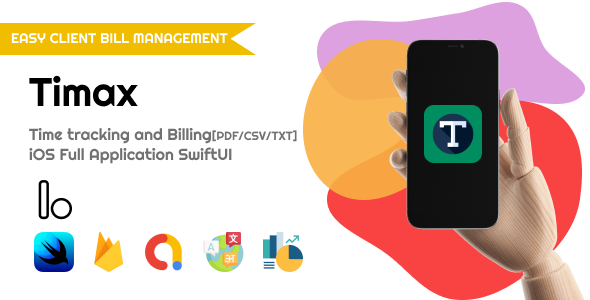
The Promise of TIMAX: Core Functionality and Initial Impressions
TIMAX presents itself as an end-to-end solution for managing the multifaceted demands of time, project, client, and invoice administration, all accessible directly from an iPhone or iPad. The explicit designation as a "Full iOS Application" carries significant weight, implying a deep commitment to Apple's platform – a native experience leveraging Swift or Objective-C, adherence to Human Interface Guidelines, and potentially tapping into device-specific functionalities. A preliminary conceptual assessment of its advertised feature set reveals the expected core capabilities: client management, project creation, granular task definition, diverse time tracking methodologies, expense logging, and the generation of professional invoices. These form the fundamental requirements for any serious contender in the professional services billing domain.
My initial take, informed by years of evaluating such tools, leans towards a measured optimism. The notion of a completely self-contained iOS experience for operations typically reliant on a robust web backend is inherently intriguing. This could manifest as a local-first architecture, potentially with optional, lightweight cloud synchronization, or perhaps a bundled, albeit minimal, backend component. The practical ramifications for data integrity, scalability, and collaborative workflows are substantial and warrant meticulous examination. A truly standalone iOS application, while offering unparalleled convenience for a singular user, frequently encounters limitations when scaling to team environments or requiring seamless cross-device data continuity. It becomes imperative to ascertain where TIMAX positions itself on this critical spectrum.
Deep Dive: Feature Set and User Experience Analysis
Client Management: The Bedrock of Billing
Any billing application that aims for professional utility must start with a robust client management system. TIMAX allows for the creation, storage, and organization of client profiles, which presumably include essential contact details, negotiated billing rates, and direct association with specific projects. Key elements in a superior implementation here include efficient search and filtering capabilities, flexible editable fields, and the swift linkage of clients to their respective projects and generated invoices. While advanced features like custom fields are often omitted in more straightforward applications, their presence greatly enhances adaptability. A recurring oversight I often encounter is the lack of proper archiving or temporary deactivation for inactive clients, which invariably leads to interface clutter and decreased operational clarity over time.
Project & Task Management: Precision and Oversight
Projects represent the core organizational unit for time tracking and subsequent billing. TIMAX’s presumed capability to define multiple projects per client is a non-negotiable feature for professionals handling diverse commitments. Within each project, the ability to delineate individual tasks or distinct activities is paramount for accurate time allocation, transparent reporting, and precise invoicing. Expected functionalities include assigning specific hourly rates, designating billing types (e.g., fixed-fee versus hourly), and indicating project or task status. From an architectural standpoint, the underlying data model must possess sufficient flexibility to accommodate varied project structures without imposing undue complexity on the end-user. The seamless integration between recorded time entries and their associated tasks/projects is critical to prevent data inconsistencies and guarantee the accuracy of generated reports.
Time Tracking Mechanisms: Beyond Basic Stopwatch Functionality
This particular feature often serves as the primary differentiator in the time-tracking application market. TIMAX will likely offer at least two fundamental methods: a conventional start/stop timer and direct manual entry. The timer functionality, if well-engineered, should ideally maintain its state across application closures, device reboots, and even system updates, or at minimum provide an unambiguous visual indicator if it remains active. Manual entries demand rigorous input validation to ensure that dates, times, and durations are logically coherent and accurately represented. A feature consistently valued by seasoned professionals is the capacity to append detailed, context-rich notes to each time entry, elaborating on the work performed. Such comprehensive documentation proves invaluable for transparent client communication, audit trails, and resolving potential billing discrepancies. Notable omissions here, common in simpler offerings, might include idle time detection, proactive reminders, or direct integration with external calendar systems – features present in more mature, enterprise-grade solutions. The absolute reliability of the time tracking engine is paramount; any flaw in its operation has a direct, detrimental impact on revenue realization.
Expense Management: Bridging Operational Costs and Client Billing
The inclusion of expense tracking, directly associated with projects and clients, significantly streamlines the billing process. TIMAX's provision for this is a definite advantage. Users should be empowered to log various expenses, categorize them appropriately, attach supporting documentation (such as receipts captured via camera or uploaded from the photo library), and clearly designate them as billable or non-billable. The fluidity and ease of the receipt attachment process are critical; a cumbersome interface in this area will predictably lead to user abandonment. The integration of these expenses into final invoices must be both straightforward and highly configurable, allowing for various presentation and taxation options.
Invoice Generation: The Ultimate Financial Instrument
This module represents the culmination of all tracked time and expenses, translating effort into revenue. TIMAX's promise to generate professional invoices implies a high degree of customizability: flexible templates, robust inclusion of company branding (logo, contact information), configurable tax rates, options for discounts, and potentially multi-currency support for an international client base. The ability to track the lifecycle status of an invoice (e.g., draft, sent, paid, overdue, partially paid) is not merely desirable but absolutely essential for sound financial management. PDF export is a foundational requirement, and direct emailing capabilities are highly beneficial. For a "full iOS app," the security protocols surrounding this sensitive financial data – how it's stored on-device and any potential synchronization methods – are of utmost importance.
Reporting: Unlocking Business Intelligence
Basic reports detailing tracked time, billable hours, accumulated expenses, and revenue projections are expected functionalities. For a professional-grade tool, these reports must be highly filterable by client, specific project, date range, and ideally by individual task or activity. The judicious use of visual aids such as charts and graphs can significantly enhance the interpretability and actionable insights derived from the data. Export options (e.g., CSV for spreadsheet analysis, PDF for static records) are also highly beneficial. The true value proposition of TIMAX for a business owner will largely be determined by the depth, flexibility, and clarity of its reporting suite. Without robust reporting, the application risks being merely a sophisticated data entry system, rather than a powerful business intelligence aid.
User Interface & User Experience (UI/UX) Evaluation
A native iOS application must deliver an experience that feels inherently intuitive, swift, and highly responsive. It is imperative that the design rigorously adheres to Apple's Human Interface Guidelines, employing standard gestures, predictable navigation patterns (e.g., tab bars, navigation stacks), and clear visual cues. Interface clutter is a primary antagonist to productivity applications. The design philosophy should unequivocally prioritize rapid access to core functionalities and an uncluttered, clear presentation of critical information. Any deviation from established iOS behaviors will inevitably introduce user friction and impede broader adoption. Further considerations for a professional application include consistent performance across a range of device generations, optimized battery consumption, and the integration of accessibility features.
Technical Architecture & Developer Considerations
For a senior web developer, the phrase "Full iOS Application" immediately triggers a series of inquiries concerning its underlying technical architecture, especially regarding data persistence strategies and any potential backend integrations.
Given its native iOS designation, the core application logic would undoubtedly be implemented in Swift, potentially incorporating some legacy Objective-C components. The user interface would primarily leverage either SwiftUI or UIKit.
Data Persistence: A "Full iOS Application" often suggests a local-first data strategy. This typically entails the use of Apple's Core Data framework or Realm for structured data storage directly on the device.
- Core Data: Apple's mature and powerful persistence framework. It offers robust object-graph management but is known for a relatively steep learning curve for newcomers.
- Realm: A popular alternative, frequently lauded for its developer-friendly API and strong performance characteristics.
- SQLite directly: While technically feasible, direct SQLite interaction is less common for complex applications, often wrapped by higher-level abstractions.
The specific choice of local database significantly influences application performance, data integrity mechanisms, and the complexity involved should a cloud synchronization component be introduced at a later stage.
Backend and Synchronization: This area represents a critical architectural decision point. If TIMAX is unequivocally "Full iOS" and completely self-contained, it simplifies deployment but severely restricts collaborative functionality and cross-device usability.
- No Backend: All data resides exclusively on the user's device. Pros: enhanced privacy, no recurring backend subscription costs, inherent offline capability. Cons: complete absence of synchronization, lack of automated backup (unless manually managed), strictly single-user operation, significant risk of data loss if the device is lost, stolen, or damaged.
- iCloud Sync: An Apple-centric solution, leveraging iCloud Drive or CloudKit. Pros: native integration within the Apple ecosystem, relatively straightforward setup for developers utilizing Core Data with CloudKit. Cons: tight coupling to iCloud, limited flexibility for cross-platform (Android/web) integration, potential for iCloud storage limitations, and complexity in handling merge conflicts.
- Custom Backend (e.g., Firebase, AWS Amplify, self-hosted API): Such an implementation would technically push it beyond a "Full iOS Application" in the strictest definitional sense, but it offers maximum flexibility. Pros: inherent cross-platform potential, robust synchronization mechanisms, scalability, and facilitation of team-oriented features. Cons: increased development complexity, ongoing maintenance overhead, and elevated operational costs.
Based on the product description, I would anticipate a local-first design, potentially with iCloud synchronization offered as an optional enhancement. The accompanying documentation, typically provided with a source code acquisition, would be vital in definitively clarifying this aspect. If it is indeed a strictly local-only application, its practical utility for any professional managing more than a minimal number of projects or requiring data accessibility across multiple devices is demonstrably constrained.
API Integration (External Services): Does TIMAX offer direct integration with popular accounting software (e.g., QuickBooks, Xero), payment gateways (e.g., Stripe, PayPal), or other established productivity tools? A "Full iOS App" often implies a deliberate choice to minimize direct external integrations to uphold simplicity and self-containment. However, the absence of such integrations represents a notable limitation for businesses striving for automated, interconnected workflows. Implementing secure API calls and managing authentication and authorization within an iOS application requires meticulous architectural design and robust security practices.
Security: The handling of sensitive client data, intricate billing information, and confidential financial records within a mobile application necessitates the implementation of stringent security protocols. This encompasses:
- Data encryption at rest, ensuring protection for data stored on the device.
- Secure communication channels (HTTPS/TLS) for any interaction with external services.
- Robust authentication and authorization mechanisms to control access.
- Proactive protection against common mobile application vulnerabilities (e.g., insecure data storage, broken cryptography).
If the source code is provided, it would mandate a comprehensive security audit prior to its deployment in any production environment.
Code Quality & Maintainability: For any individual or organization acquiring the source code, the intrinsic quality of the codebase is paramount. Adherence to established Swift best practices, adoption of clean architectural patterns (e.g., MVVM, VIPER, Clean Architecture), the presence of comprehensive unit and integration tests, and clear, concise documentation will directly determine the ease of future customization, bug resolution, and long-term maintainability. A poorly structured or undocumented codebase, while potentially functional in its initial state, rapidly transforms into a significant liability.
Installation & Deployment Guide: Bringing TIMAX to Life (from Source)
Assuming TIMAX is acquired in the form of source code, its deployment to your personal devices or subsequent submission to the Apple App Store necessitates a methodical and structured approach, standard for any native iOS application development. This process extends beyond a simple "download and run" scenario, requiring a foundational familiarity with Apple's Xcode IDE and its intricate developer ecosystem.
Prerequisites: The Essential Toolkit for Development
- Mac with macOS: Xcode, Apple's Integrated Development Environment (IDE), functions exclusively within the macOS environment.
- Xcode: Download the latest stable version directly from the Mac App Store. It is also crucial to ensure that command-line tools are properly installed (execute
xcode-select --installin Terminal). - Apple Developer Program Membership: This is an absolute requirement for deploying applications to physical iOS devices, distributing builds via TestFlight for beta testing, or ultimately submitting the application to the Apple App Store. A personal developer account typically suffices for individual or solo developer use.
- An iOS Device (iPhone/iPad): While Xcode simulators offer a convenient development sandbox, comprehensive real-world testing on a physical device is indispensable for evaluating performance, battery impact, and true user experience.
- Source Code for TIMAX: This would be obtained from a reputable vendor, such as gplpal, following a purchase.
- CocoaPods or Swift Package Manager (SPM): Depending on how TIMAX manages its external, third-party dependencies, you will need to have one or both installed. CocoaPods is a common dependency manager (installation via `sudo gem install cocoapods` is typical). Swift Package Manager is integrated directly into Xcode.
Step-by-Step Installation and Configuration Process
Step 1: Acquire and Prepare the TIMAX Source Code
- Download the Archive: After successfully purchasing TIMAX from a vendor specializing in source code distribution, such as from Free download WordPress themes, you will receive a compressed archive, typically a `.zip` or `.tar.gz` file. Extract its contents to a readily accessible location on your macOS machine.
- Examine Project Structure: Navigate into the newly extracted project folder. You should locate either an `.xcodeproj` file or an `.xcworkspace` file. The presence of a `Podfile` in the root directory indicates that the project relies on CocoaPods for dependency management. If no `Podfile` is found, it likely utilizes Swift Package Manager or has minimal to no external dependencies.
- Install Dependencies (Specific to CocoaPods):
- Open the Terminal application.
- Change the directory to the project's root folder (the location of the `Podfile`) using the command: `cd /path/to/your/TIMAX_project_directory`.
- Execute the command `pod install`. This process will download, configure, and integrate all required third-party libraries. Crucially, after this step, you must always open the `.xcworkspace` file, rather than the `.xcodeproj` file, to work on the project.
Step 2: Open Project in Xcode and Initial Project Configuration
- Open the Project: Double-click on the `.xcworkspace` file (if you installed CocoaPods dependencies) or the `.xcodeproj` file to load the TIMAX project into Xcode.
- Bundle Identifier Customization: In Xcode's Navigator pane (the left-hand sidebar), select the project root, then select the main application target. Within the "General" tab, modify the "Bundle Identifier" to a globally unique string. A common convention is a reverse domain format (e.g., `com.yourcompany.timaxapp`). This identifier is critical for App Store submission.
- Display Name Definition: Update the "Display Name" (found either under the "Info" tab or directly in the "General" tab for recent Xcode versions) to your preferred application name, which will appear on the device's home screen.
- App Icons and Launch Screens: Replace the provided placeholder app icons and launch screen images with your own custom branding. These assets are typically managed within the `Assets.xcassets` folder. Adhere strictly to Apple's Human Interface Guidelines for icon sizing and formats.
Step 3: Configure Code Signing and Application Capabilities
- Automatic Signing Management: Within the project target's "Signing & Capabilities" tab, activate the "Automatically manage signing" option.
- Team Selection: From the provided dropdown menu, select your registered Apple Developer Program team. Xcode will then attempt to automatically generate and manage the necessary App ID, provisioning profiles, and signing certificates required for development and distribution.
- Capability Enablement: If TIMAX integrates with specific Apple services (e.g., iCloud for data synchronization, Push Notifications, Wallet), ensure that these corresponding capabilities are enabled within Xcode and correctly configured for your App ID within the Apple Developer Portal. If iCloud is utilized, specifying an appropriate iCloud container is mandatory.
Step 4: Backend Integration and API Key Configuration (Conditional)
This step is inherently speculative but becomes critically important if TIMAX is not designed as an entirely local-first application.
- Locate Configuration Files: Thoroughly examine the project for dedicated configuration files (e.g., `Config.swift`, `Constants.swift`), entries within `Info.plist`, or similar locations where API keys, backend service URLs, or database connection strings might be stored.
- Firebase/AWS Setup: Should the application rely on cloud services like Google Firebase, you will need to create a project within the Firebase Console, download the specific `GoogleService-Info.plist` file, and integrate it into your Xcode project by dragging it into the file navigator. For AWS Amplify, a comparable process involving configuration files or command-line setup would be required.
- Database Schema Verification: If TIMAX connects to a custom backend API, it is imperative to ensure that your backend database schema precisely matches the expectations of the mobile application. This often involves executing database migrations or seeding initial datasets.
Step 5: Testing and Running the Application in Development
- Select Target Device/Simulator: From Xcode's scheme dropdown menu, select your preferred iPhone or iPad simulator, or connect a physical iOS device to your Mac.
- Build and Run: Click the "Run" button (represented by a play icon) or use the keyboard shortcut `Cmd+R`. Xcode will compile the project and deploy it to your chosen target.
- Common Troubleshooting Scenarios:
- Build Errors: Frequently caused by missing dependencies, Swift syntax errors, or misconfigured build settings. Consult Xcode's "Issue Navigator" for detailed diagnostics.
- Signing Errors: A common frustration, often related to invalid or expired provisioning profiles, certificates, or an incorrect bundle ID. Verify your developer account status, certificate validity, and ensure bundle ID consistency.
- Runtime Crashes: Utilize Xcode's integrated debugger, carefully examine the console output for error messages, and analyze crash logs to pinpoint the source of the issue.
Step 6: Archiving and App Store Submission (Optional Distribution)
- Set Release Configuration: Before archiving, ensure that your project's build configuration is set to "Release."
- Archive the Application: With a "Generic iOS Device" selected as your target (not a specific simulator or connected device), navigate to `Product > Archive` in Xcode's menu bar. This process compiles your application specifically for distribution.
- Distribute App: In the Organizer window that appears post-archiving, select your newly created archive and click the "Distribute App" button. Follow the subsequent prompts to upload your build to App Store Connect, configure all necessary metadata, screenshots, privacy policy details, and finally submit your application for Apple's review process.
Real-World Utility and Critical Assessment
TIMAX, in its capacity as a "Full iOS Application," is most directly relevant to individual freelancers, independent consultants, or very small businesses where a single user is responsible for managing their personal time and billing processes. Its inherent strength lies in the potential to deliver a highly focused, truly native mobile experience that often surpasses the performance and intuitive feel of web-based applications or hybrid solutions.
For the solo professional, the enticing prospect of managing all business-critical functions directly on an iPad or iPhone is undeniable. Time tracking can occur spontaneously on the move, invoices can be generated during client interactions, and expenses can be logged instantaneously. Furthermore, the absence of a recurring monthly SaaS fee, assuming a one-time acquisition of the source code, represents a compelling financial incentive.
However, the "Full iOS Application" model, while offering specific advantages, also introduces a set of inherent and significant limitations:
- Collaboration Capabilities: For teams requiring shared time tracking against common projects, or the consolidation of billing information from multiple contributors, TIMAX would likely prove inadequate. Bridging this gap would necessitate substantial custom development to implement a robust backend infrastructure and multi-user functionalities, an undertaking that is far from trivial.
- Cross-Platform Accessibility: Modern professionals routinely operate across a diverse array of devices, including desktop computers, laptops, tablets, and smartphones. A purely iOS-native application inherently means the absence of a native macOS client, a web-based interface, and certainly no Android counterpart. This significantly constrains flexibility and access, as detailed reports or complex data entry might prove cumbersome on a smaller phone screen.
- Data Redundancy & Backup Strategies: Unless an explicit iCloud Sync or a custom backend is meticulously implemented, all critical business data remains solely resident on a single device. This presents a critical single point of failure. A device malfunction, loss, or theft could lead to catastrophic and irrecoverable data loss, underscoring the absolute necessity for robust backup strategies, whether manual or automated via cloud services.
- Third-Party Integrations: Contemporary business workflows are deeply reliant on the seamless interoperability of various software tools. The lack of direct, out-of-the-box integration with prominent accounting software (e.g., QuickBooks, Xero), established project management platforms (e.g., Jira, Asana), or Customer Relationship Management (CRM) systems necessitates manual data transfer, leading to inefficiencies, increased labor, and a higher propensity for human error.
- Scalability Challenges: While potentially sufficient for a single user, scaling TIMAX to accommodate a small agency with multiple employees, varying billing rates, intricate project hierarchies, and granular permission levels would demand extensive custom development. The foundational data model and user interface would require profound modifications to meet such expanded requirements.
- Long-term Maintenance Burden: The acquisition of source code inherently transfers the responsibility for future maintenance directly to the buyer. This includes adapting the application to new iOS versions, resolving unforeseen bugs, and implementing new features or enhancements. This necessitates dedicated developer resources, which can represent a substantial and ongoing burden for a non-technical end-user.
Considering these comprehensive points, TIMAX appears to be most appropriately positioned as a foundational starting point for a solo developer or a technically capable agency seeking to construct a highly specific, custom-tailored time-tracking and billing solution, rather than an immediately deployable, off-the-shelf application for the general business market. Its true value proposition shifts from that of a "ready-to-use application" to that of a "customizable framework." For those possessing the requisite technical expertise and niche operational requirements, it could certainly offer a highly personalized solution, circumventing recurring SaaS expenditures and avoiding vendor lock-in.
Conclusion: A Niche, Customizable Foundation for the Discerning Developer
TIMAX positions itself as a compelling, native iOS solution designed for time tracking and billing. Its appeal is undeniable for the individual professional or small entity seeking a dedicated, efficient tool optimized for the Apple ecosystem. From a pure feature perspective, it effectively covers the essential functionalities: comprehensive client and project management, versatile time tracking methodologies, streamlined expense logging, and professional invoice generation. The designation as a "Full iOS Application" unequivocally delivers on the promise of a native user experience, yet, critically, it also implicitly delineates its inherent limitations.
For solo practitioners or small operations comfortable with a single-user, device-centric workflow, TIMAX offers a robust and capable foundation. However, those whose operational requirements extend to team collaboration, cross-platform accessibility, robust cloud synchronization, or extensive third-party integrations will invariably find the base offering insufficient without committing to substantial custom development. The act of acquiring the source code unlocks the potential for boundless customization, but it simultaneously imposes the ongoing responsibility of maintenance and further development. This places TIMAX not as a direct, out-of-the-box competitor to mature, full-fledged SaaS solutions like Harvest or Toggl, but rather as an exceptional starting point. It provides a technically proficient individual or development team with a flexible, native iOS development base from which to forge a highly specialized, proprietary solution meticulously tailored to their unique, specific business requirements. Its true and profound value, therefore, resides less in its immediate, out-of-the-box completeness and far more in its formidable potential as an adaptable and powerful native iOS development framework.