Under the Hood: A Developer's Deep Dive into "Animals and Star"
-
Under the Hood: A Developer's Deep Dive into "Animals and Star" HTML5 Game
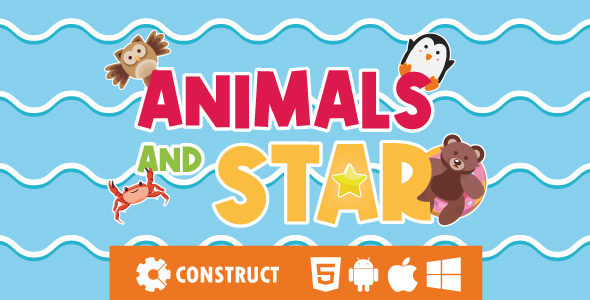
Finding quality, self-contained web content can be a grind. We're often promised "plug-and-play" solutions that turn into a weekend-long dependency nightmare. So, when a package like Animals and Star - HTML5 Educational Game appears, offering a simple, educational experience for kids, skepticism is a healthy first response. Is this a genuinely useful asset for a developer to deploy on a client's site, a children's portal, or an educational blog? Or is it a brittle piece of code that looks good in a demo but shatters on contact with the real world? This review isn't about the flashing lights and cute animal sounds; it's a technical teardown for developers, webmasters, and anyone who has to maintain the code after the initial install. We'll dissect its architecture, evaluate its customizability, and provide a detailed guide for deploying it in a professional environment.
Part 1: The First Impression - Unboxing the Code
After acquiring the package and unzipping the archive, the initial file structure gives us our first clues about the product's design philosophy. What we find is a fairly standard, if minimalistic, static web project layout:
index.html: The main entry point for the game./css/: A directory containing a single stylesheet, likely for the game's UI and surrounding page./js/: The home of the JavaScript logic. This is the most critical folder./media/: Contains all the audio assets—background music, sound effects for clicks, wins, and losses./sprites/: All the visual assets, from UI elements like buttons to the actual game characters and objects./favicon.ico: A standard site icon.
There is no
readme.md, no documentation, nopackage.json, and no build tools folder. This immediately tells us two things. First, the good news: there are no external dependencies. You don't need to runnpm installor wrestle with Webpack. It’s designed to be dropped onto a server as-is. The bad news? This lack of documentation or metadata suggests a "what you see is what you get" product. Any customization will require manual code archaeology. The project is self-contained but also a black box. The organization is clean enough for a simple project, but the absence of source maps or un-minified code is a red flag for anyone hoping to modify it.Part 2: A Technical Teardown - Code Quality and Architecture
Opening up the files in a code editor reveals the game's inner workings. This is where we separate the professional-grade assets from the hobbyist projects. A quick look inside the
/js/folder confirms our suspicions: the core logic is powered by the CreateJS library suite, specifically EaselJS for the canvas rendering, TweenJS for animations, SoundJS for audio, and PreloadJS for asset management. This is a solid, albeit slightly dated, choice for 2D web games. CreateJS was popular for its Flash-like API, making it an easy transition for developers from that era. It's stable and well-documented, which is a point in the game's favor, even if the developer didn't include their own docs.JavaScript Analysis
The game's logic is primarily contained within a few key files. We see a
main.js, aCMain.js,CTextButton.js, and several other files prefixed with 'C', suggesting a class-based structure (or at least a prototypal emulation of one). The code is written in vanilla JavaScript, likely ES5, for maximum browser compatibility. There are no modern ES6 features likelet/const, arrow functions, or classes. While this ensures it runs on older browsers, it also makes the code more verbose and harder to maintain than modern JavaScript.The code itself is not minified, which is a pleasant surprise. It’s readable, with reasonably descriptive variable names like
_oBgfor the background object and_oGroupfor a group of game elements. However, it's not modular in a modern sense. It relies on a global scope and a monolithic structure where game states and components are tightly coupled. For example, changing the scoring logic isn't a matter of tweaking a single function; it requires tracing the logic through several interconnected object methods. There's no central configuration file. Magic numbers and hardcoded strings are scattered throughout the codebase. Want to change the game's canvas size? You'll find the dimensions hardcoded inCMain.js. Want to change the text on a button? You'll have to find the specificCTextButtoninstantiation and change the string literal passed to its constructor. This design makes quick, deep customizations a frustrating exercise.HTML and CSS
The
index.htmlfile is as minimal as it gets. It's essentially a boilerplate container for the canvas element where the game is rendered. It loads the necessary CreateJS libraries from a local folder and then the game's own scripts. There's nothing inherently wrong with this—the game lives on the canvas, so the DOM is secondary—but it lacks any semantic structure or accessibility features out of the box. The screen reader experience is non-existent.The CSS file,
main.css, is similarly straightforward. It contains basic resets, styles for the body to center the canvas, and some helper classes. The UI elements inside the canvas are not styled with this CSS; they are bitmap images rendered by EaselJS. This means re-skinning the game requires editing the image files in the/sprites/directory, not changing a few CSS variables. If you wanted to change the buttons from blue to red, you'd need to open Photoshop, not your CSS file. This is a critical limitation for developers looking to integrate the game seamlessly into an existing site's design.Assets and Media
The
/sprites/and/media/folders contain the soul of the game. The graphics are colorful, kid-friendly PNGs. They are not organized into sprite sheets, which is a missed optimization opportunity. Each button, animal, and effect is a separate image file. This results in more HTTP requests during the initial load. The game uses PreloadJS to manage this, showing a loading bar, which is good practice. However, a developer could significantly improve load times by combining these images into a single sprite sheet and updating the sprite definitions in the code.The audio files are a mix of
.mp3and.oggformats to ensure cross-browser compatibility. This is a thoughtful touch. The quality is adequate for a web game, and file sizes are reasonable.Part 3: Gameplay and Customization Experience
The game itself is simple and effective for its target audience. A series of animal outlines appear, and the child must drag the correct animal sprite into its matching shadow. A friendly voice names the animal upon a successful match. It’s a basic shape and animal recognition game. The mechanics are sound, and the feedback loop is positive and encouraging.
Responsiveness and Compatibility
The game's responsiveness is handled by a script that scales the canvas element to fit the browser window while maintaining its aspect ratio. This is a common and effective technique. On desktops, it works flawlessly. On mobile and tablet devices, it scales down correctly, and the touch controls are responsive. The game remains playable even on a smaller phone screen, although the drag-and-drop targets can become a bit tricky for small fingers. It was tested on current versions of Chrome, Firefox, and Safari with no noticeable issues.
The Customization Challenge
This is the game's Achilles' heel. As mentioned, the lack of a configuration file makes modification a developer-intensive task. Let's walk through a common request: adding a new animal, say, a "Panda."
- Create Assets: You would first need to create two images:
panda.png(the full-color sprite) andpanda_silhouette.png(the shadow). You'd also need an audio file,panda.mp3, with the voice saying "Panda." - Upload Assets: Place the new image files in the
/sprites/directory and the audio file in the/media/directory. - Code Integration: This is the hard part. You'd need to open the main game logic file (e.g.,
CGame.js) and find the asset preloading array. You would manually add the paths to your new assets there. - Add Game Logic: You'd then need to locate the array or object that defines the levels and animals. You'd add a new entry for the panda, linking its sprite, its silhouette, and its sound. You would have to carefully replicate the existing data structure.
- Positioning: You would likely have to manually adjust the x/y coordinates for where the new animal and its silhouette appear on the screen, which could involve a lot of trial and error.
This process is tedious and prone to error. A well-designed system would have a simple JSON file, like
levels.json, where you could just add a new object to an array, and the game engine would handle the rest. The current implementation is not built for easy extension.Part 4: The Installation and Deployment Guide
Despite the customization hurdles, deploying the game "as-is" is straightforward. Here’s how to get it live on your server, from a simple static host to a more complex WordPress integration.
Step 1: Pre-Flight Check
Before you start, understand that you cannot simply double-click the
index.htmlfile to run the game from your local filesystem. Modern browsers enforce security policies (CORS) that prevent JavaScript from loading local assets like images and sounds. You need a web server. For local development, you can use tools like the Live Server extension in VS Code, Python's `http.server`, or a local WAMP/MAMP/XAMPP stack. For deployment, you need a web hosting account.Step 2: Simple Static Deployment
This is the easiest method and works on any basic web hosting.
- Upload Files: Using an FTP client (like FileZilla) or your hosting provider's file manager, create a new directory on your server where you want the game to live. For example, `public_html/games/animals-star`.
- Preserve Structure: Upload the entire unzipped game folder into this new directory, making sure the file structure (
css,js,mediafolders) is preserved. - Access the Game: That's it. You can now access the game by navigating to `yourdomain.com/games/animals-star/`.
Step 3: WordPress Integration
Most users will want to embed this game within an existing WordPress site. There are a couple of ways to approach this, with varying levels of integration and complexity. This is where a resource like gplpal becomes relevant, as many users of their products will be working within the WordPress ecosystem.
Method A: The Quick and Dirty iFrame
The iFrame method is fast and isolates the game from your WordPress theme, preventing potential CSS or JS conflicts. It's the most common approach.
- First, follow the "Simple Static Deployment" steps above to upload the game to a subdirectory of your website.
- Go to your WordPress dashboard and create a new Page or Post.
- Switch the editor to the "Text" or "Code Editor" view.
- Paste the following HTML snippet, replacing the `src` URL with the correct path to your game:
<iframe src="https://yourdomain.com/games/animals-star/" width="100%" height="600" style="border:none;"></iframe> - Adjust the `height` attribute as needed to avoid scrollbars. Publish the page.
Pros: Extremely easy, no theme modification needed. Cons: Can feel disconnected from your site, potentially causing double scrollbars on mobile, and not ideal for SEO.
Method B: The Professional Page Template Integration
This method offers seamless integration by making the game part of a native WordPress page. It requires editing your theme's files, so it's best to use a child theme to avoid losing your changes when the parent theme updates. This is the approach for those who want a truly professional look and feel, perhaps when using one of the many Free download WordPress themes available.
- Upload Game Assets: Via FTP, upload the game's asset folders (
css,js,media,sprites) to your child theme's directory. For example: `wp-content/themes/your-child-theme/games/animals-star/`. - Create a Custom Page Template: In your child theme's directory, create a new PHP file. Name it something descriptive, like `template-animal-game.php`.
- Edit the Template File: Paste the following code into your new PHP file. This code creates a basic WordPress template, dequeues your theme's default styles to avoid conflicts, and enqueues the game's specific files.
<?php
/*
 * Template Name: HTML5 Animal Game
 */

// We will create a very minimal header to avoid theme conflicts
?>
<!DOCTYPE html>
<html <?php language_attributes(); ?>>
<head>
    <meta charset="<?php bloginfo( 'charset' ); ?>">
    <meta name="viewport" content="width=device-width, initial-scale=1">
    <title><?php wp_title(); ?></title>
    <?php
        // Function to load game scripts and styles
        function enqueue_animal_game_assets() {
            // Deregister default theme styles that might interfere
            wp_dequeue_style( 'parent-style' );
            wp_dequeue_style( 'child-style' );

            $theme_uri = get_stylesheet_directory_uri();

            // Enqueue Game CSS
            wp_enqueue_style( 'animal-game-css', $theme_uri . '/games/animals-star/css/main.css' );

            // Enqueue Game JS Libraries and Core Logic
            // The order is important!
            wp_enqueue_script( 'game-easeljs', $theme_uri . '/games/animals-star/js/easeljs-0.8.2.min.js', array(), null, true );
            wp_enqueue_script( 'game-tweenjs', $theme_uri . '/games/animals-star/js/tweenjs-0.6.2.min.js', array(), null, true );
            wp_enqueue_script( 'game-soundjs', $theme_uri . '/games/animals-star/js/soundjs-0.6.2.min.js', array(), null, true );
            wp_enqueue_script( 'game-preloadjs', $theme_uri . '/games/animals-star/js/preloadjs-0.6.2.min.js', array(), null, true );
            wp_enqueue_script( 'animal-game-main', $theme_uri . '/games/animals-star/js/main.js', array('game-preloadjs'), null, true );
            // ... Add all other game JS files here in the correct dependency order ...
        }
        add_action( 'wp_enqueue_scripts', 'enqueue_animal_game_assets' );

        wp_head();
    ?>
</head>
<body>
    <!-- The original index.html content goes here -->
    <div style="position: fixed; background-color: transparent; top: 0px; left: 0px; width: 100%; height: 100%"></div>
    <script>
    // You might need to add initialization JS from the original index.html here
    // For example, the new CMain({//...settings...}) call
    </script>
    <canvas id="canvas" class="ani_hack" width="1280" height="768"> </canvas>
</body>
</html>
Note: This is a simplified example. You'll need to copy the exact contents of the
<body>and any inline<script>tags from the game's original `index.html` file into this template. You will also need to add `wp_enqueue_script` calls for *every single* JavaScript file in the correct order. - Assign the Template: Create a new Page in WordPress. In the "Page Attributes" panel on the right, you'll see a "Template" dropdown. Select your newly created "HTML5 Animal Game" template and publish the page.
This method is far more work but results in a clean integration with a proper URL (`yourdomain.com/my-cool-game/`) and no iFrame funkiness.
Part 5: Performance and Optimization
Out of the box, the game's performance is acceptable but not optimal. Using browser developer tools, the total download size for the first load is around 4.5MB, which is quite heavy for such a simple game. The main culprits are the unoptimized PNG assets and the numerous HTTP requests to load each individual image and script.
Actionable Optimizations:
- Image Compression: Running the entire
/sprites/folder through an image optimization tool like TinyPNG or ImageOptim could easily reduce the image payload by 50-70% without any noticeable quality loss. - Sprite Sheeting: For a developer willing to put in the work, combining all the UI and animal images into a few sprite sheets would drastically reduce the number of HTTP requests, speeding up the initial load time significantly. This would require modifying the JavaScript code to read from the sprite sheet instead of individual files.
- Script Bundling & Minification: Combining all the JavaScript files into a single, minified file would also reduce HTTP requests and file size. A simple build tool like Grunt or Gulp could be set up to automate this process.
The runtime performance is fine. CreateJS is efficient at canvas rendering, and the game maintains a smooth framerate even on mid-range mobile devices. The performance bottlenecks are all related to the initial asset loading.
Final Verdict: Is It Worth Your Time?
So, what's the final judgment on "Animals and Star - HTML5 Educational Game"? It’s a product with a very specific use case. It succeeds as a turnkey, drop-in piece of content. If you are a site owner or a developer on a tight deadline who needs to add a simple, functional, and engaging kids' game to a website *without any modifications*, then this is a perfectly viable solution. The deployment is simple, it's cross-browser compatible, and it works as advertised.
However, if you are a developer looking for a base to build upon, a flexible educational framework, or a game that you can easily re-skin to match a client's branding, you should look elsewhere. The codebase is brittle, relying on hardcoded values and a monolithic structure that actively resists customization. Simple changes require a disproportionate amount of effort, and there is no documentation to guide you.
It’s a finished product, not a starting point. It's a digital toy, not a box of Lego. For the right project, that's exactly what's needed. For others, the limitations will be a deal-breaker. Assess your project's needs carefully; if they align with the game's "as-is" nature, it's a solid asset. If you need even a little bit of flexibility, the development overhead to modify it will quickly outweigh its initial convenience.