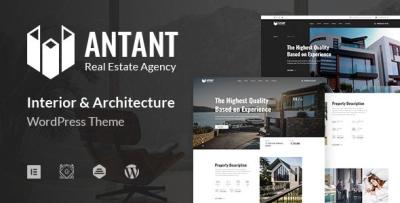
A Calm Single-Property Website Rebuild with Antant
-
Antant Site Notes: Building a Single-Property Funnel That Feels Real
I rebuilt a single-listing real estate site around Antant – Single Property Real Estate WordPress Theme because the previous version wasn’t failing on design—it was failing on decision flow. With one property, the website has only one job: reduce uncertainty fast, without sounding like an advertisement. People aren’t “browsing inventory.” They’re checking whether the listing is legitimate, whether the details match what they care about, and whether contacting you feels safe and worthwhile.
This isn’t a demo or a feature rundown. It’s my admin log for other site owners: the structure I used, the mistakes I corrected, what I learned from real visitor behavior, and the maintenance routine that keeps the site coherent (especially when you start updating price, availability, or open-house schedules).
Why single-property sites are a different problem than “real estate websites”
A normal real estate website can hide a lot of issues behind volume. If a visitor doesn’t like one listing, they click another. A single-property site doesn’t have that escape hatch. Every page, every section, every line of copy is either reducing doubt or creating it.
A single property page must answer five questions in a very specific order:
-
Is this property real and current?
-
Does it fit my needs quickly enough to keep reading?
-
Can I verify the essentials without chasing PDFs or calling first?
-
What’s the next step and what will happen after I contact you?
-
Do I trust the person behind this listing?
If the site answers those cleanly, conversion becomes boring—in a good way. If it doesn’t, visitors hesitate, open a new tab, and the site loses.
The first mistake I corrected: the homepage was trying to be “brand,” not “proof”
The old site opened with story-heavy copy and decorative sections. It looked like a brochure.
But single-property visitors want proof signals early:
-
where the property is (area context)
-
what type of home it is (and for whom)
-
how much friction the next step will take
-
whether details look consistent across the page
So I changed the first screen logic (especially for mobile):
First screen must deliver (mobile)
-
clear property label (type + location context, not a slogan)
-
3–5 scannable highlights (beds/baths/size/lot/parking—whatever matters)
-
one primary action (schedule viewing / request info)
-
a quick “status” cue (available / under offer / open house timing—only if accurate)
I didn’t try to “convince.” I tried to make the listing readable.
Decision flow: I built the page in the same order buyers decide
When a buyer considers a property, they run a mental checklist. They don’t do it consciously, but the sequence is consistent. The page should follow that sequence so the visitor feels like the site “gets it.”
I used this order:
-
Snapshot: what it is + why it might fit
-
Essentials: facts that disqualify or qualify the property
-
Walkthrough: how spaces connect (not “features,” but flow)
-
Practicalities: neighborhood, commute, schools (context, not long essays)
-
Costs: taxes/HOA/est. utilities (if you can responsibly provide)
-
Process: what happens after inquiry + what documents are available
-
Trust: who you are, how to verify, how viewing works
The point is not to add more content. It’s to place the right content in the right sequence.
I stopped writing “features” and started writing “buyer questions”
Most real estate copy fails because it lists features without mapping to buyer questions.
A buyer rarely thinks: “I need quartz countertops.”
They think: “Will the kitchen feel cramped? Is there storage? Will this annoy me daily?”So I wrote sections that answered questions without being dramatic:
-
“What’s the day-to-day like here?”
-
“Where does light come from in the afternoon?”
-
“Is parking straightforward?”
-
“What’s noisy nearby?”
-
“What do I need to know before scheduling a visit?”
These questions set a calm tone and made the listing feel more candid. Candid feels more trustworthy than polished.
Information structure: I treated the page like a document, not a landing page
A single-property site works best when it feels like a structured document someone can review, not a sales page.
So I used:
-
short paragraphs (3–6 lines)
-
clear H2 sections that read like headings in an inspection report
-
consistent formatting for numbers (size, dates, fees)
-
“at a glance” blocks near the top so the visitor doesn’t hunt
If visitors have to hunt, they suspect you’re hiding something—even if you’re not.
The “single-property” content model I used (repeatable, easy to maintain)
Even though it’s one property, content still changes: open house schedule, price adjustment, availability, inspection notes, seasonal photos. So I built a content model that stays stable as details change.
1) The Snapshot (short, factual)
-
property type + location context
-
who it suits (e.g., small family, remote work, downsizers)
-
one calm line about the strongest practical advantage (not hype)
2) Essentials (facts people check first)
-
beds, baths, size, lot
-
parking, storage
-
year built / renovation year (if relevant)
-
HOA (if relevant)
-
property status (accurate, always updated)
3) Layout flow (the “walkthrough”)
This is where many listings lose people. They describe finishes instead of space.
I wrote the walkthrough like a path:
-
entry → living area → kitchen → bedrooms → outdoor space
-
what connects to what
-
where you’d work, where you’d eat, where you’d store things
The goal is to help people imagine the plan without overselling.
4) Neighborhood context (not an essay)
I avoided long paragraphs about lifestyle. I gave practical anchors:
-
commute patterns
-
nearby essentials (groceries, parks)
-
noise and traffic expectations (if applicable)
-
a neutral tone (“expect X at Y time”)
5) The “what you might worry about” block
This was surprisingly effective. Not fear-based—just honest.
Examples (written carefully):
-
if street parking is competitive at certain times
-
if HOA rules exist (and where to request them)
-
if certain rooms are smaller than photos suggest
-
if the yard requires maintenance
This section reduced low-quality inquiries and increased serious ones. Serious buyers appreciate realism.
6) Process and next steps (predictability over persuasion)
Visitors hesitate because they don’t want a pushy call.
So I included:
-
what happens after inquiry (timeline + response method)
-
how scheduling works
-
what documents are available upon request
-
how offers are handled (high-level, calm)
Predictability builds trust faster than adjectives.
Common mistakes I corrected (that quietly kill single-property conversion)
Mistake 1: Hiding the numbers
If price, HOA, or essential specs are vague, the visitor assumes the worst.
Fix: show key numbers clearly, consistently, and early.
Mistake 2: Over-editing photos without context
Highly stylized photos can trigger distrust if the page lacks grounding details.
Fix: keep the page’s factual sections strong so photos feel supported by reality.
Mistake 3: Making “contact” feel like a commitment
A “Contact us for details” approach is friction.
Fix: give enough detail to justify contact. Make contact feel low-risk.
Mistake 4: Long, generic lifestyle copy
It reads like filler. It doesn’t answer buyer questions.
Fix: practical context blocks, concise, neutral.
Mistake 5: No update cadence
If the page shows outdated dates or stale “open house” info, credibility collapses.
Fix: add a visible “last updated” line (only if you will maintain it), and actually maintain it.
Post-launch observations: what I changed after real traffic arrived
After launch, visitor behavior showed me where doubt lived.
1) People looked for “status” more than I expected
They want to know: is it still available? is it under offer? are viewings open?
So I moved status cues higher and kept them consistent.
2) Mobile users scrolled to find the floor plan / layout explanation
Even without a floor plan image, people want layout clarity.
So I tightened the walkthrough section and used clearer headings.
3) The “process” section reduced bounce
When people saw a calm next-step explanation, they stayed longer.
So I made “What happens after you request a viewing” a stable block across the site.
4) Visitors re-checked essentials
Many users scrolled up and down to verify numbers.
So I used a “sticky” feeling in structure (not necessarily a sticky element): repeated key facts in a short “At a glance” block and ensured formatting stayed consistent.
Light technical notes: single-property sites must feel stable
A single-property site is often shared through messaging apps and opened on phones with weak connections. If it’s slow or jumpy, it looks untrustworthy.
I focused on:
-
keeping the first screen fast and lightweight
-
avoiding layout shifts (especially from large images)
-
making typography readable (not trendy thin fonts)
-
ensuring CTA buttons are easy to tap
-
minimizing “surprise” elements like autoplay or aggressive popups
Stability is not just performance—it’s credibility.
A note on taxonomy: even one property benefits from controlled structure
Even if there’s one property, the site still needs structure because content changes and people search in different ways.
I used “controlled labels” internally:
-
property type
-
key selling context (e.g., “home office ready,” “walkable essentials”)
-
buyer fit notes (downsizers, small family, etc.)
I did not turn them into a tag cloud. Tag clouds look messy and reduce trust in real estate contexts. Instead, I surfaced labels only where they helped scanning.
Maintenance routine: keeping the listing credible over time
Single-property pages rot fast if you don’t maintain them. Rot shows up as:
-
outdated open house times
-
stale availability language
-
inconsistent price references
-
old photos that don’t match season or status
-
typos in numbers (the worst)
So I used a strict routine:
Weekly (10 minutes)
-
verify status line is accurate
-
verify inquiry form works on mobile
-
verify contact actions are visible and not broken
Monthly (30–60 minutes)
-
check all numbers match the source of truth (MLS or internal doc)
-
review the “walkthrough” section for clarity
-
ensure the neighborhood context is still accurate
-
refresh one or two photos if needed (if the property is active)
At every change event (price/status/open house)
-
update the status line and date
-
ensure messaging remains consistent across homepage, hero, and any “next steps” blocks
-
remove old dates immediately (stale dates destroy credibility)
Maintenance is not glamorous, but for a single property it’s the whole game.
Decision thinking: why I evaluate themes differently for this use case
When I browse collections like WooCommerce Themes, I’m not looking for flashy demos. For a single-property listing, I evaluate:
-
Can I present essentials clearly without clutter?
-
Does the layout support a “document-like” review flow?
-
Can I keep the page consistent as details change?
-
Is mobile reading comfortable and calm?
-
Does the structure let me communicate process and trust without sounding like marketing?
Single-property sites win by feeling real, current, and low-friction.
Closing thoughts
A single-property site is a controlled funnel disguised as a calm document. Visitors are not browsing—they’re verifying. If the site helps them verify essentials quickly, understand layout flow, see practical context, and take a low-risk next step, it will perform without needing hype.
This rebuild focused on decision order, not decoration: essentials early, layout clarity, practical context, predictable process, and a maintenance routine that prevents credibility rot. The result is not a louder listing page. It’s a quieter, clearer one—and that’s what tends to earn serious inquiries.
-