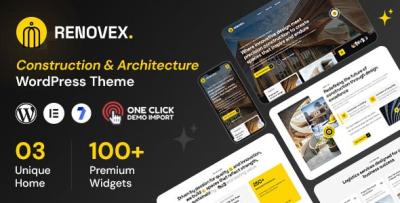
Renovex Construction Theme: My “Mistakes I Fixed” Rebuild Note
-
I Rebuilt a Construction Website by Fixing the Same Mistakes Again
I didn’t rebuild the contractor website because I wanted a new design. I rebuilt it because the site kept failing in quiet ways: leads that should have converted didn’t, pages looked “busy” but still felt unclear, and every small update risked breaking layout consistency. I used Renovex – Construction WordPress Theme as the base, then approached the project like a slow maintenance problem: fix the structural mistakes that construction websites repeat, reduce ambiguity, and make future updates boring.
This is not a feature list. It’s an “error log” written in the calm voice of someone who maintains sites and gets blamed when a phone number disappears on mobile. I’ll walk through the mistakes I corrected and the decision logic behind each change, with the goal of building a site that looks trustworthy without shouting.
Mistake #1: Treating the homepage like a brochure
The old homepage tried to do everything at once:
-
explain services
-
show projects
-
display testimonials
-
show certifications
-
push contact
-
add multiple banners
-
add multiple “why us” rows
It looked full, but it didn’t feel clear. A construction visitor isn’t coming to admire sections. They’re trying to answer a short set of questions quickly:
-
Do you do the kind of work I need?
-
Are you local / reliable / real?
-
Can I see proof of finished jobs?
-
How do I contact you without friction?
When the homepage tries to become a brochure, those questions get buried under layout noise. So I rebuilt the homepage as an index page, not a catalog.
My rule became: the homepage should route visitors, not exhaust them.
I kept only a few paths:
-
“Start here if you need a quote”
-
“Start here if you want to see recent work”
-
“Start here if you’re comparing contractors” (a credibility/expectation section)
Everything else lives on the service pages or project pages. This reduced the pressure to make the homepage carry the entire business.
Mistake #2: Listing services without defining boundaries
Construction sites often list services like a menu: “Kitchen remodeling, roofing, painting, drywall…” and stop there. It looks comprehensive, but it doesn’t help the visitor decide, because the visitor’s problem is rarely named exactly like your menu item.
People search for:
-
“water damage repair cost”
-
“how long does bathroom remodel take”
-
“contractor for old house renovation”
-
“foundation cracks should I worry”
A service list doesn’t solve that uncertainty.
So I rebuilt service pages around boundaries and expectations, not just service names.
What I added wasn’t marketing. It was clarity:
-
what this service usually includes
-
what it usually does not include
-
typical constraints that change timeline or pricing
-
what information we need from the customer to quote properly
This is the part construction businesses often avoid because it feels “too specific.” But in reality, specificity reads as competence.
Mistake #3: Using “trust badges” instead of trust structure
The old site had badges everywhere: “Licensed,” “Insured,” “5-star,” “Best quality,” etc. None of them were lies, but together they created an unintended effect: they looked like compensation.
Trust doesn’t come from stacking badges. Trust comes from structure:
-
consistent navigation
-
consistent page layout
-
clear contact methods
-
real project documentation
-
clear service boundaries
-
calm tone
So I reduced badges and replaced them with “proof that behaves like proof.”
For example:
-
project pages had consistent sections (before/after, scope, constraints, timeline, outcome)
-
the contact page explained what happens after someone submits a request
-
the phone number was persistent and readable on mobile
-
service pages didn’t overclaim
The site felt more credible by becoming quieter.
Mistake #4: Showing projects as photos without context
Construction businesses love galleries, and I understand why: visuals are persuasive. But a gallery alone can feel generic. Visitors want context because context helps them compare:
-
Was this a full remodel or partial?
-
How long did it take?
-
What was the challenge?
-
What did “done” look like?
So I rebuilt the project page format into a repeatable story:
-
Situation (what the client needed)
-
Constraints (timeline, budget range, site limitations)
-
Scope (what was included)
-
Decisions (why we chose certain materials/steps without being salesy)
-
Result (what changed after completion)
I didn’t write long essays. I wrote consistent short blocks. The effect was noticeable: project pages felt like evidence rather than decoration.
Mistake #5: Making the contact step feel like a form, not a process
Many contractor sites treat contact as a simple form: name, email, message. Then they wonder why messages are low-quality or confusing.
I treated contact like the beginning of a process.
I added small, factual expectations:
-
what information helps us quote faster
-
what response time to expect
-
what happens next (call, site visit, estimate)
-
what we can’t do (scope boundaries)
This reduced messy inquiries and increased the number of messages that included usable detail. That’s not “conversion optimization.” That’s operational sanity.
Mistake #6: Mobile was an afterthought
Construction site visitors are often on mobile. They’re:
-
in their driveway looking at a problem
-
on a lunch break
-
comparing contractors quickly
-
sending the site to a spouse
On mobile, a small mistake becomes a deal-breaker:
-
phone number hard to tap
-
hero section too tall
-
contact button buried
-
navigation too dense
-
paragraphs too long
So I rebuilt every key page by checking mobile first, not last.
My practical checklist:
-
Can I call in one tap?
-
Can I request a quote without scrolling forever?
-
Is the service explanation readable in short sections?
-
Do images load predictably without breaking layout?
-
Does the page keep a calm rhythm?
The theme baseline matters here. I didn’t want a layout that looked “premium” on desktop but chaotic on mobile.
Mistake #7: Letting the site become inconsistent over time
This is the biggest maintenance issue: the site looks good after launch, then slowly drifts as new pages are added by different people.
So I enforced a system:
-
one service page pattern, reused
-
one project page pattern, reused
-
consistent heading hierarchy
-
consistent spacing rules
-
limited color/typography variations
This is where using Renovex as a baseline helped: I could keep pages coherent without having to redesign every time content changed.
Mistake #8: Writing like an advertisement instead of an operator
I removed “best / top / amazing” language and replaced it with calm operational language:
-
what we do
-
how we work
-
what’s included
-
what to expect
-
how to prepare for a quote
The tone matters because construction is high-stakes. People don’t want hype; they want reliability.
When the site sounds like a professional who has done the work, it feels safer. When it sounds like a salesperson, it feels risky.
Mistake #9: Not defining the “first click” for different visitors
Different visitors land in different places:
-
someone lands on a roofing service page from search
-
someone lands on a project page from a referral
-
someone lands on the homepage from social
If you don’t define what their next step should be, you leave them to guess.
So on every key page I asked:
What is the most reasonable next action after reading this page?
Then I made that action visible without being pushy:
-
on service pages: link to relevant project examples (internal, no extra external links)
-
on project pages: link back to the related service page (internal)
-
on homepage: clear routes to services, work, and contact
This simple consistency reduces bounce without “marketing tactics.”
Mistake #10: Overbuilding the site with unnecessary sections
Contractor sites often overbuild because the owner wants to include everything: awards, badges, long testimonials, multiple banners, multiple CTAs.
Overbuilding creates three problems:
-
slower pages
-
harder maintenance
-
less clarity
So I set a hard rule: one primary purpose per page.
-
homepage = orientation
-
service page = clarity and expectations
-
project page = proof
-
contact page = process start
When a page tries to do two things, it does neither well.
The rebuild sequence I followed (so it didn’t become endless)
I kept the rebuild from spiraling by following an order:
-
Fix navigation and page map
-
Standardize service pages
-
Standardize project pages
-
Fix contact process
-
Mobile pass
-
Typography/spacing consistency
-
Homepage final cleanup
This order matters because it prevents “homepage obsession.” Most leads come from service pages and project pages, not from the homepage.
What changed after a few weeks of real traffic
I don’t like exaggerated claims. Here’s what I actually observed:
-
fewer inquiries asking basic questions the site already answers
-
more messages that included scope detail (better quality leads)
-
fewer “lost” users bouncing after one page
-
fewer admin edits causing layout surprises
-
less time spent doing one-off fixes
The biggest improvement was not a sudden spike in leads. It was a reduction in confusion—both for visitors and for the admin team.
Quiet notes about choosing a baseline theme for construction sites
I looked through many options in the broad pool of WordPress Themes because construction sites have a particular challenge: you need credibility and clarity more than visual intensity.
What I avoid:
-
overly dramatic hero sections that push content down
-
heavy animation blocks that slow mobile
-
layouts that only look good with demo-perfect content
-
multiple conflicting section styles on one page
What I prioritize:
-
consistent headings
-
clean grid rhythm for projects
-
readable mobile spacing
-
predictable navigation
-
tolerance for real-world content changes
Renovex worked well as a base because I could keep the site structured without forcing it into a “demo-first” approach.
A few “easy-to-miss” corrections I made
These aren’t glamorous, but they matter.
I made addresses and service areas readable
A lot of contractor sites hide service area information. Visitors want to know quickly if you serve them. I kept it short and factual.
I reduced long paragraphs
Long paragraphs look like sales copy. Short paragraphs read like instructions. For contractors, instructions feel more trustworthy.
I kept internal linking simple
Instead of “related content widgets,” I used simple internal links between service pages and project pages. It feels calmer and is easier to maintain.
I made the site easier to update by non-technical people
A good site is one that can be updated without fear. That means fewer custom sections and fewer one-off formatting tricks.
Closing thoughts: credibility comes from consistency
If I had to sum up the rebuild in one sentence: I stopped trying to make the site look impressive and started trying to make it behave predictably.
Renovex was a baseline that let me build a consistent system:
-
service pages that define boundaries
-
project pages that feel like evidence
-
contact that feels like a process
-
mobile-first readability
-
quieter tone
The site now feels more like a real contractor operation and less like a brochure.
And that’s what most visitors are actually looking for: not perfection, not hype—just a sense that the work will be handled competently, and that the website is a reflection of that competence.
-